Case study · Poridhi.io · 2025–26
A browser platform for learning GPU programming.
TensorCode teaches AI, GPU and kernel programming in the browser: lessons, labs, graded problems, an IDE that runs on a real GPU, and TensorRAG for building ML training pipelines. I built most of its frontend, from the first version.
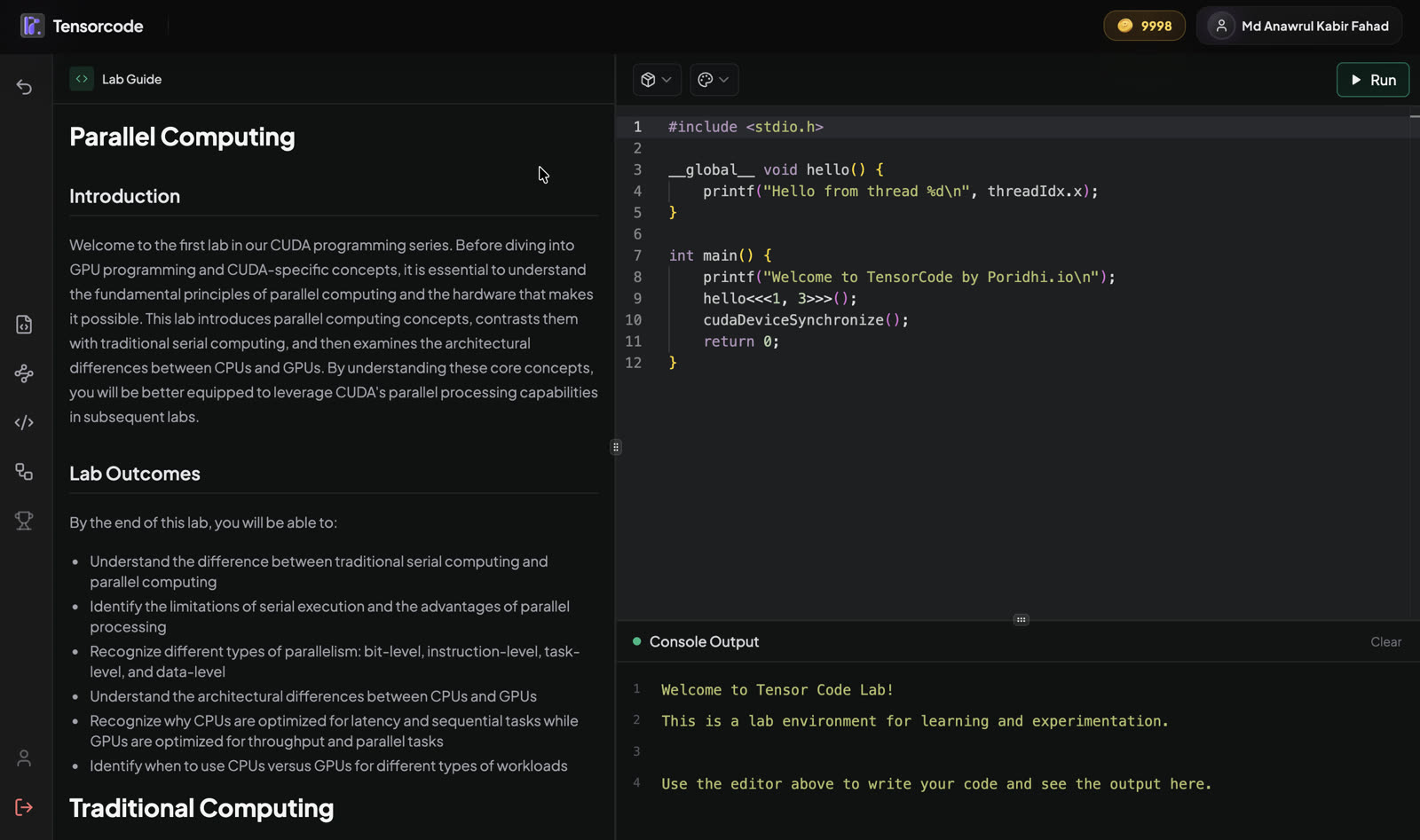
A lab: read on the left, run code on the right.
The product in one picture
Four areas a learner moves through, plus TensorRAG on its own. I built the frontend of all of them; the content, backends and infrastructure were team work. Click a screenshot for the full view.
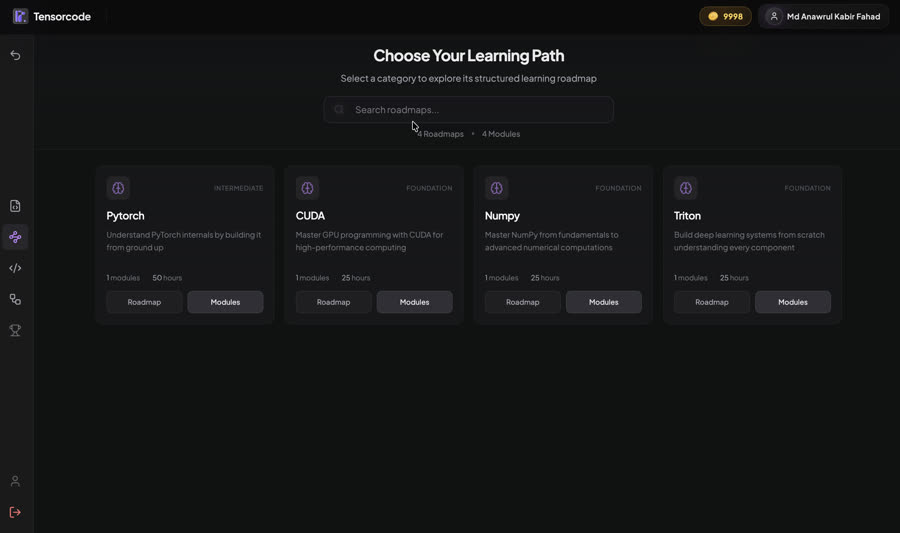
Learning paths
Four roadmaps (PyTorch, CUDA, NumPy, Triton), each split into modules, chapters and lessons.
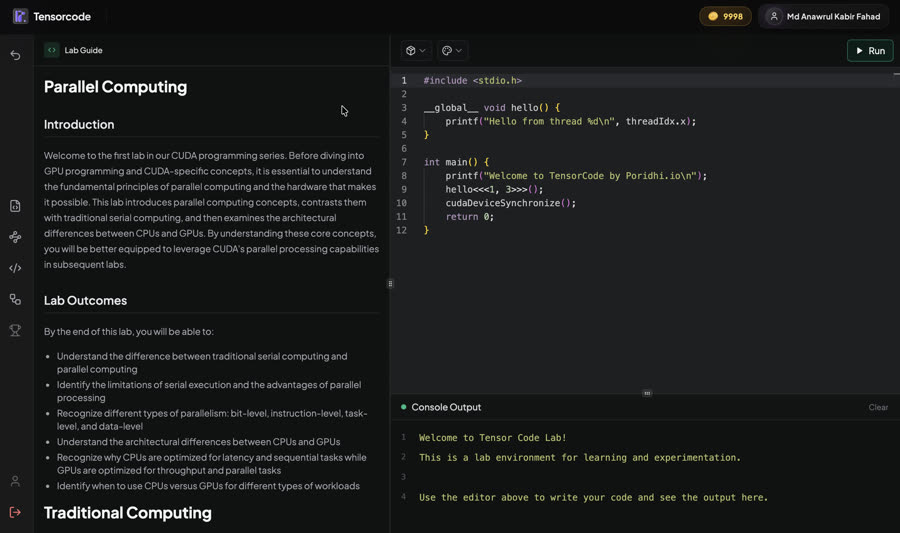
Lab
The guide on the left, runnable code on the right. Switch between NumPy, CUDA and Triton.
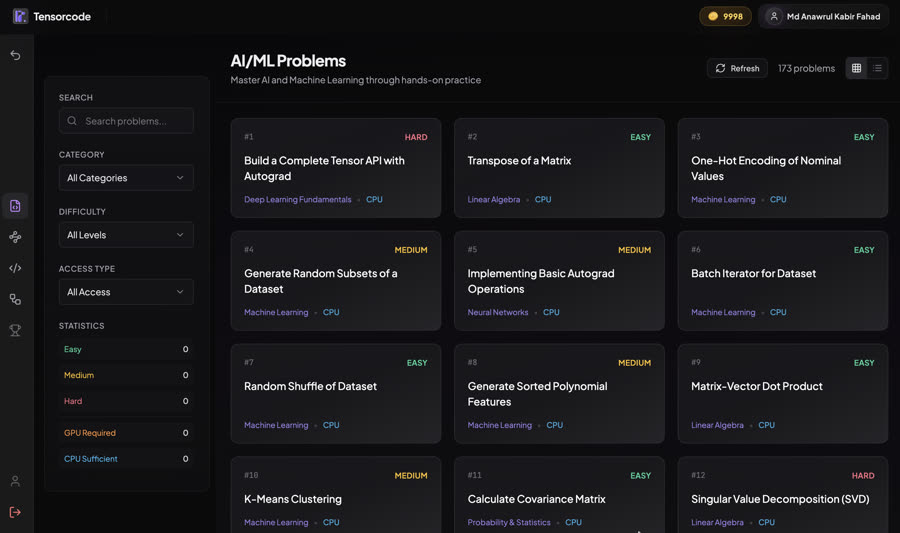
Problems
173 graded exercises with test cases and submissions, each tagged GPU or CPU.
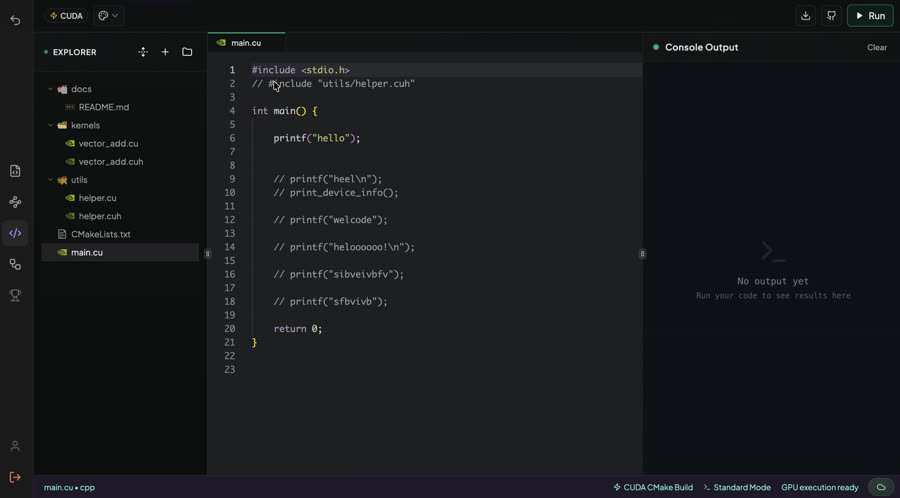
IDE
Multi-file CUDA and Triton projects that run on a GPU, with GitHub and download.
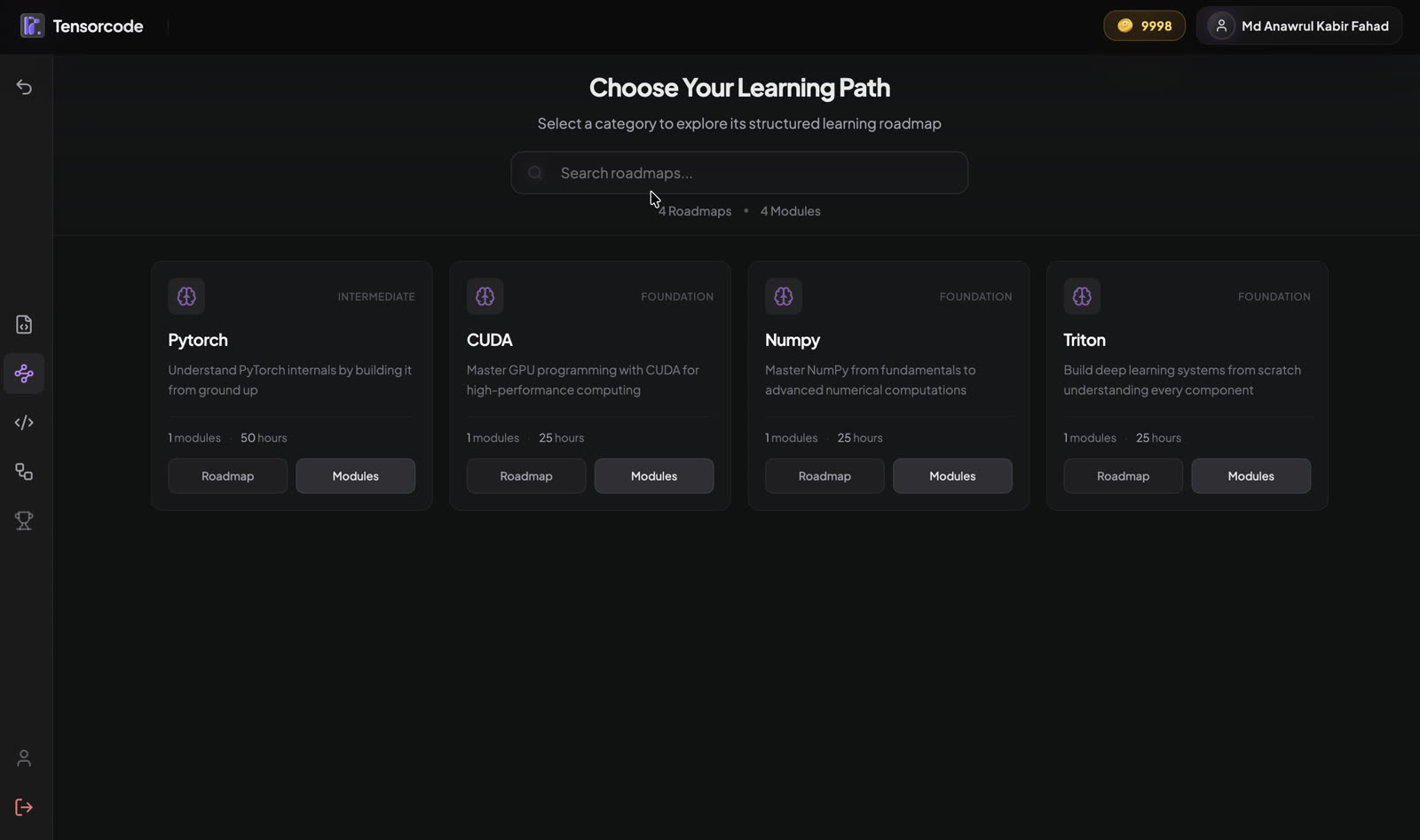
Its own entry in the side navigation
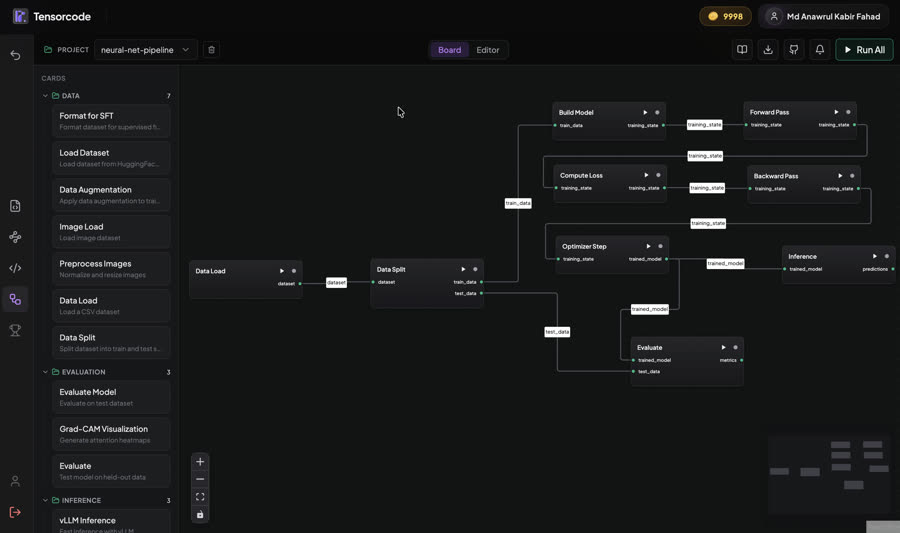
TensorRAG
Build an ML training pipeline from typed cards, configure each step, run one step or all.
Board built by me · execution by a teammate
Runs on the company GPU server, outside the TensorCode cluster
A lab, up close
Each lab pairs a written guide with an editor. The learner reads, edits the code, picks the runtime (NumPy, CUDA or Triton) and runs it, with the output right under the code.
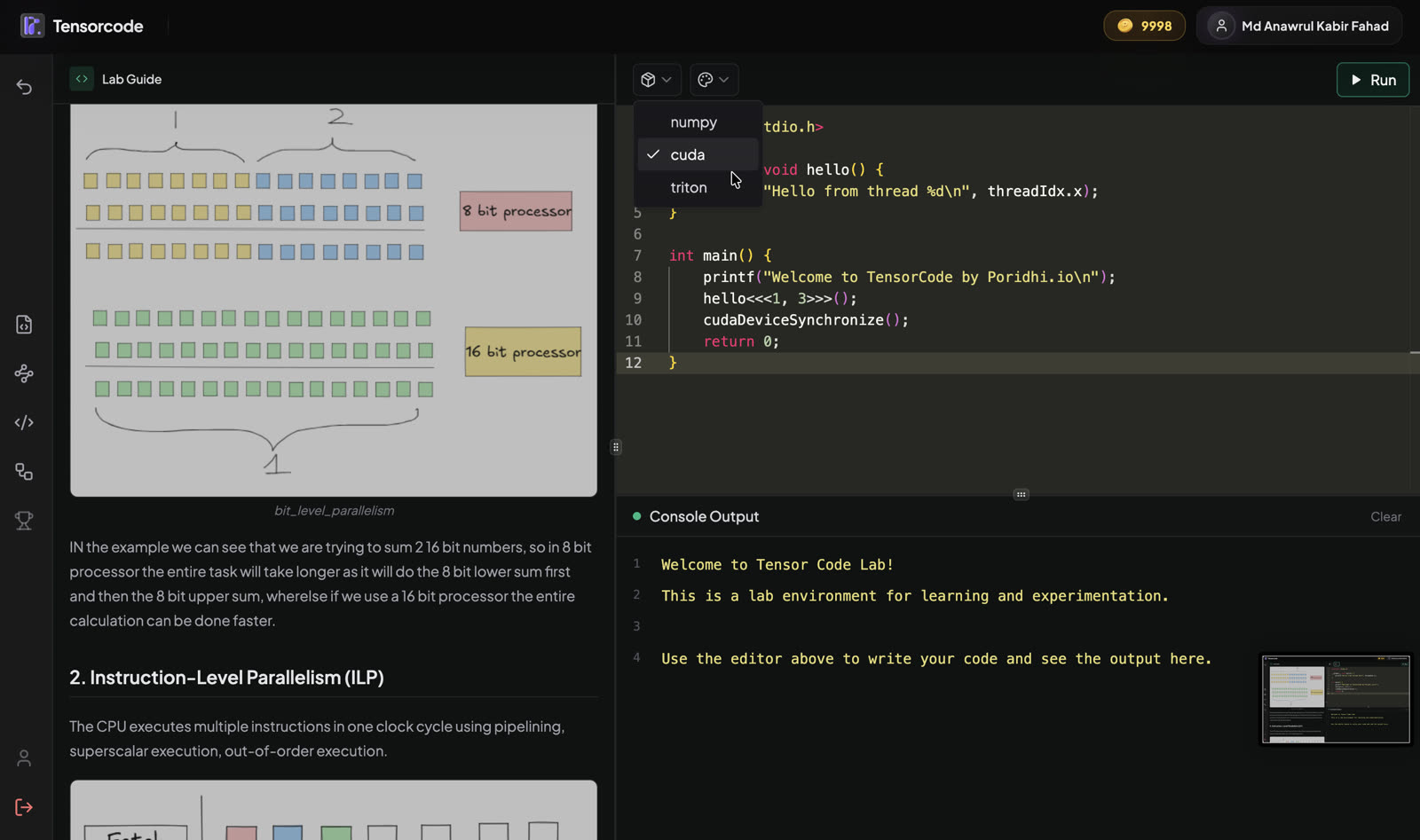
Switching a lab’s runtime.
Problems
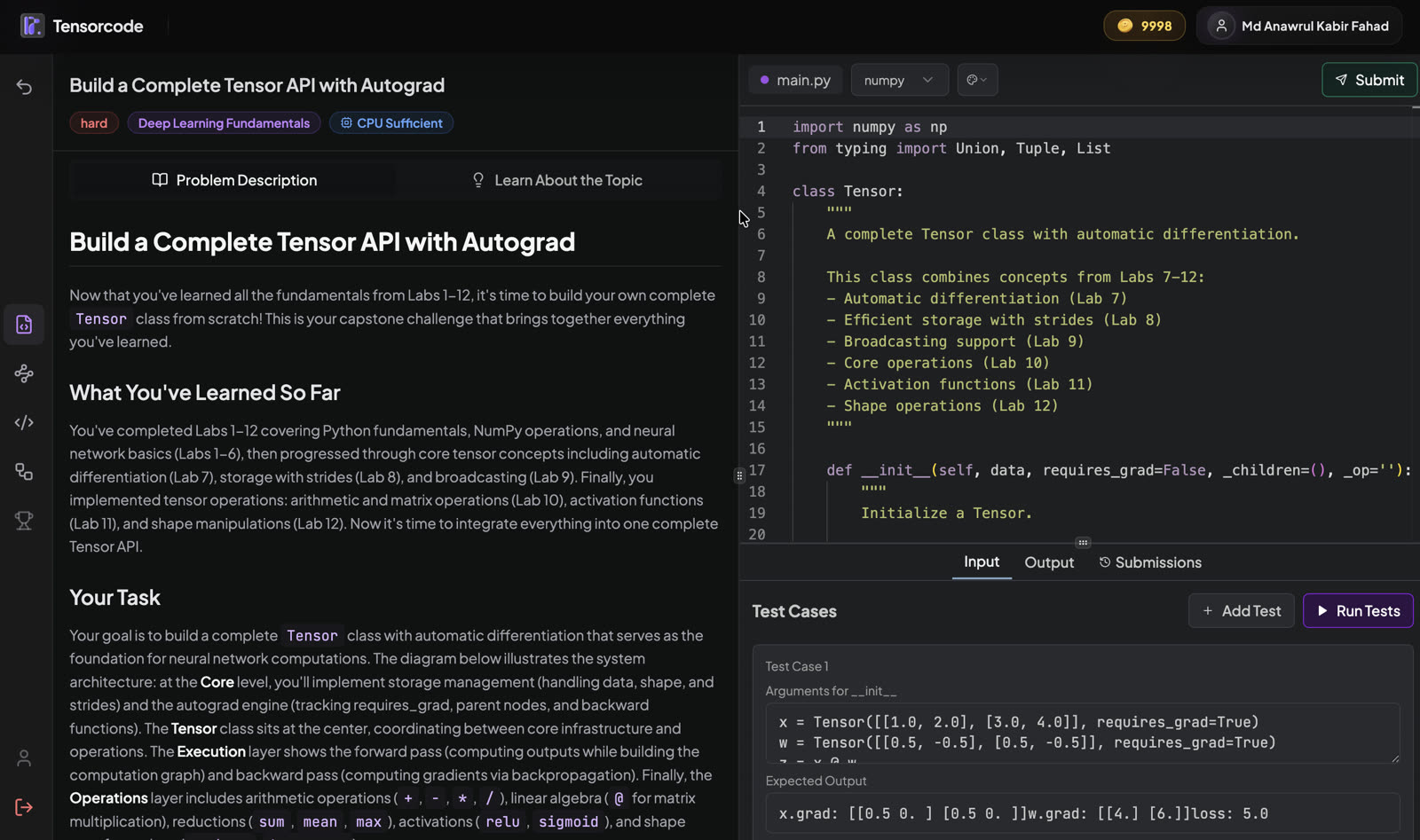
173 graded exercises, from transposing a matrix to building a tensor library with autograd. Each one has a description, a topic explainer, an editor, test cases the learner can add to, and a history of submissions. Problems are tagged by whether they need a GPU.
The IDE
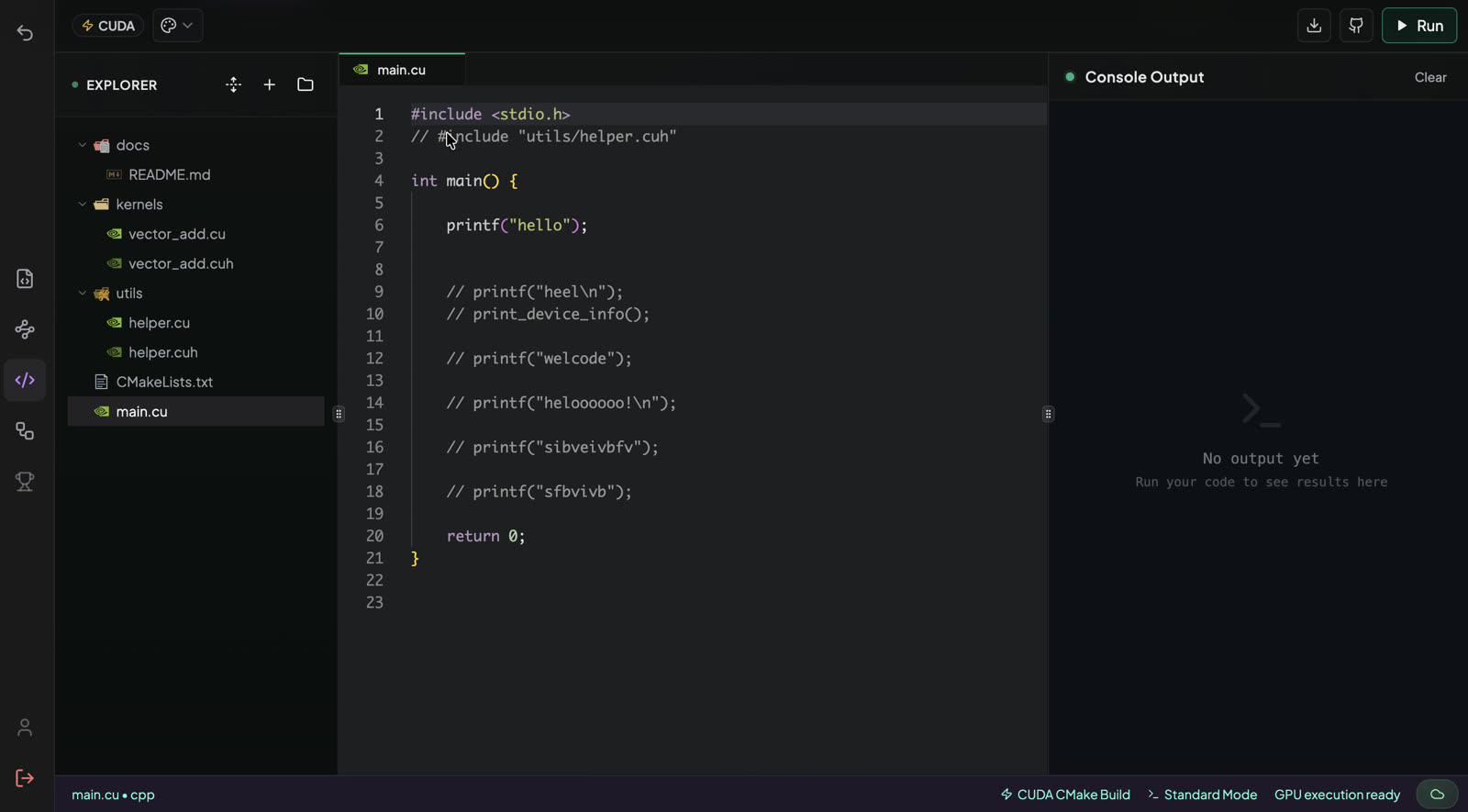
Beyond single files: multi-file CUDA and Triton projects with a file explorer, run on a GPU, with GitHub and download built in.
TensorRAG
A training pipeline drawn as cards: load data, split it, build the model, then forward pass, loss, backward pass and optimizer step, and finally evaluate or run inference. Cards connect through named inputs and outputs, each card has its own settings, and any step can be run alone or the whole pipeline at once. I developed the board; a teammate built the execution behind it.
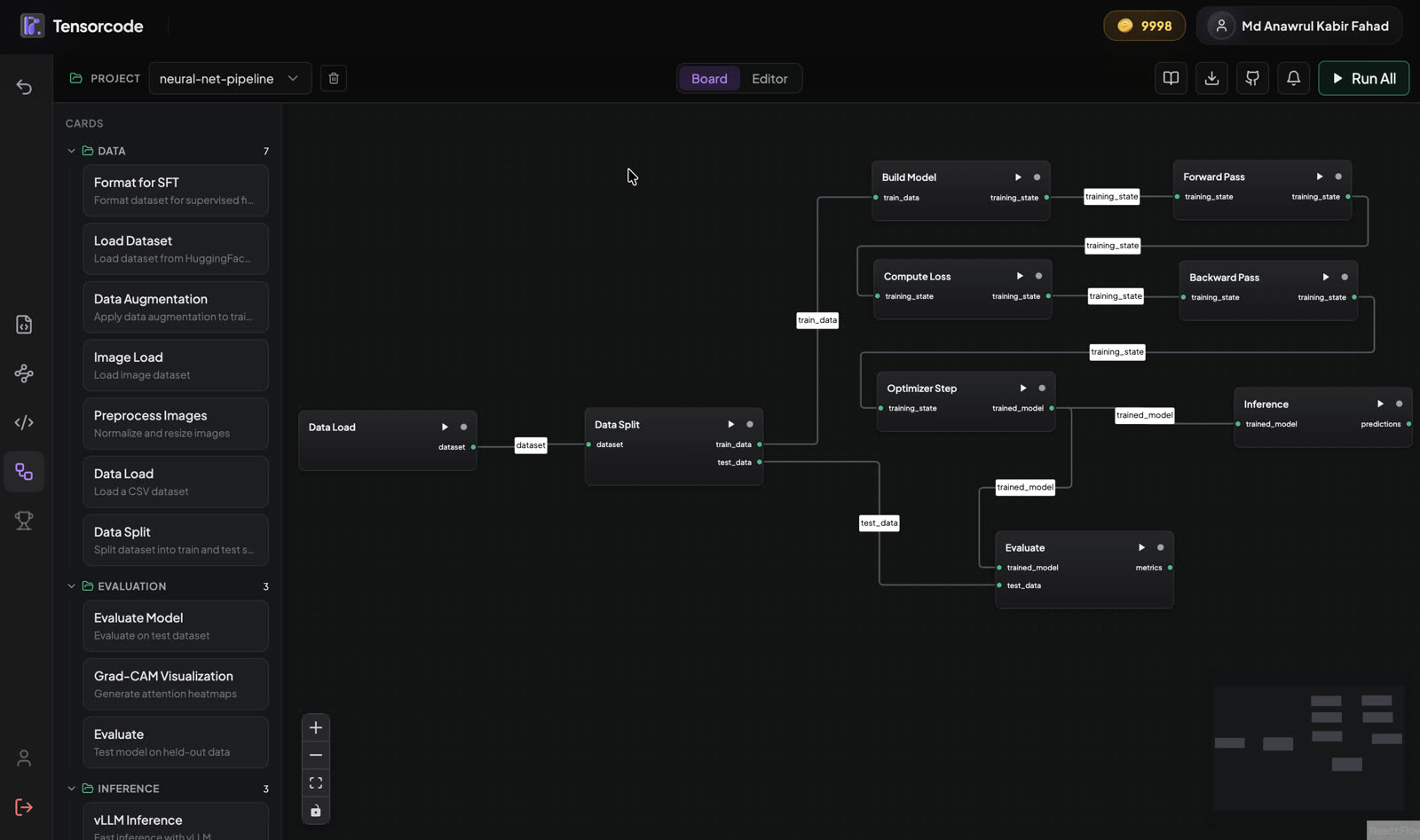
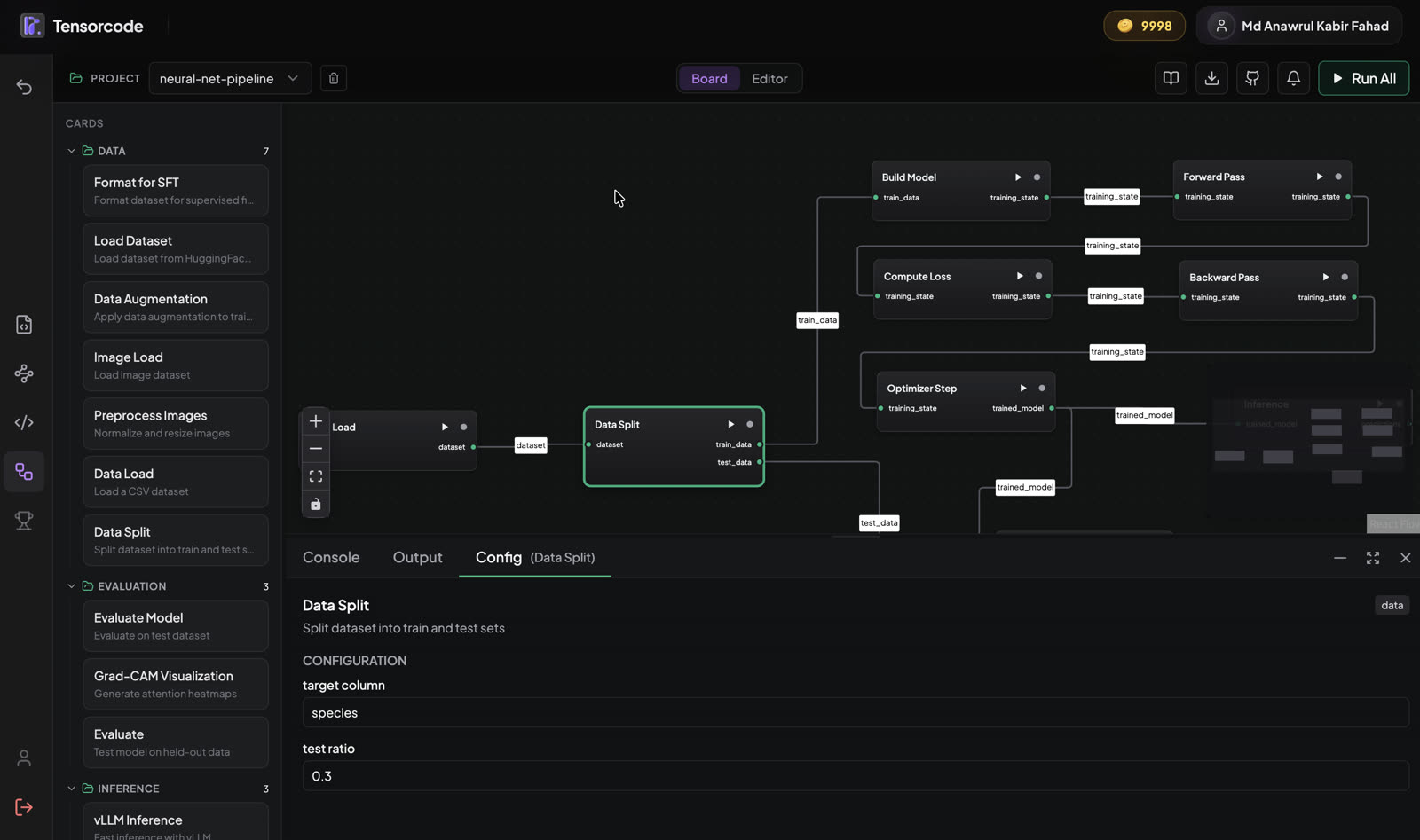
The board, and one card’s settings.
Where the code runs
Each runtime has its own execution backend, and they all run on the company GPU server, outside the TensorCode cluster. Some run as one or two replicas, each on its own GPU slice. I built the frontend and connected it to these backends; the backends' Kubernetes deployments I managed with the team.
- TensorCode frontend (mine)Labs, problems, the IDE and the TensorRAG board, all with a Run button.
- Platform servicesAccounts, content and credits, in TensorCode's own cluster.
- Execution backends, on the company GPU serverOne per runtime: NumPy, CUDA, Triton, Go. Some run as 1–2 replicas, each on its own GPU slice.
What I did
- Built most of the frontend, from the first version: the learning paths, labs, problems, the IDE and the account pages.
- Developed the TensorRAG board.
- Created the workflow that brings lab and problem content from GitHub into the platform.
- Connected the frontend to the execution backends, and managed their Kubernetes deployments with the team.
Lesson and problem content was written by another team; the execution backends and the platform services were team work.